SaaS Requirements: The Complete Checklist for 2026
One of the most common and most expensive mistakes in SaaS development is starting to build before requirements are clearly defined. Vague requirements lead to assumptions. Assumptions lead to misaligned builds. Misaligned builds lead to costly rework, delayed launches, and frustrated teams.
This guide explains what SaaS requirements are, the different types that matter, how to document them in a way that sets your development team up for success, and how to manage them once your product is live and evolving.
What Are SaaS Requirements?
SaaS requirements are a structured set of documented specifications that define what a SaaS product must do, how it must behave, and the constraints within which it must operate. They serve as the contract between the product vision and the development team, translating business goals and user needs into concrete instructions that engineers, designers, and QA professionals can act on.
Requirements are not a wishlist. Every requirement should connect to a real user need or business goal. If you cannot answer “why does this need to exist?”, the requirement probably should not be in the document.
Types of SaaS Requirements
Functional Requirements
Functional requirements describe what the system does. They define specific behaviors, features, and capabilities the product must have.
Examples:
- Users must be able to sign up using an email address and password
- The system must support multi-factor authentication via TOTP apps
- Admins must be able to invite team members and assign them one of three role levels
- The billing module must support monthly and annual subscription plans with prorated upgrades
Non-Functional Requirements
Non-functional requirements describe how the system performs. They set standards for quality attributes that are just as important as features, but are often overlooked during requirements gathering.
Performance requirements:
- API response times must be under 200ms at the 95th percentile under normal load
- The application must support 10,000 concurrent users without performance degradation
Security requirements:
- All data must be encrypted at rest and in transit
- The product must comply with SOC 2 Type II standards
- User sessions must expire after 30 minutes of inactivity
Scalability requirements:
- The system must be horizontally scalable to handle 10x the initial traffic forecast
- Database schemas must support multi-tenancy with row-level security
Availability requirements:
- The product must maintain 99.9% uptime, excluding scheduled maintenance windows
- Recovery Time Objective (RTO) must be under 1 hour
Technical Requirements
Technical requirements specify the technology choices and integration constraints the product must operate within:
- The backend API must be built using RESTful architecture
- The product must integrate with Stripe for subscription billing
- Authentication must support SAML 2.0 for enterprise SSO
- All infrastructure must be deployed to AWS in the us-east-1 region
Business Requirements
Business requirements connect the product to the commercial goals it must serve:
- The product must support tiered subscription plans that enable upselling as users grow
- The admin dashboard must provide usage analytics to support customer success conversations
- The checkout flow must achieve a conversion rate of at least 35% from trial to paid
SaaS Requirements Checklist
Use this checklist before development begins to confirm your requirements are complete. A missing category at this stage is always more expensive to fix after build than before.
| Category | Requirement | Confirmed? |
|---|---|---|
| Functional | User authentication and role-based access defined | [ ] |
| Functional | Core user workflows documented with edge cases | [ ] |
| Functional | Admin panel capabilities specified | [ ] |
| Functional | Subscription and billing logic documented | [ ] |
| Functional | Notification triggers (email, SMS, in-app) defined | [ ] |
| Functional | Integration requirements listed (CRM, payments, APIs) | [ ] |
| Performance | API response time targets set (e.g. under 200ms at p95) | [ ] |
| Performance | Concurrent user load target confirmed | [ ] |
| Performance | Database query performance benchmarks set | [ ] |
| Security | Encryption standards specified (at rest and in transit) | [ ] |
| Security | Authentication method confirmed (SSO, MFA, SAML) | [ ] |
| Security | Compliance requirement identified (SOC 2, HIPAA, GDPR) | [ ] |
| Security | Session timeout and access control rules defined | [ ] |
| Scalability | Multi-tenancy architecture approach confirmed | [ ] |
| Scalability | Horizontal scaling strategy documented | [ ] |
| Availability | Uptime SLA agreed (99.9% or higher) | [ ] |
| Availability | Disaster recovery and RTO/RPO targets set | [ ] |
| Technical | Tech stack decisions confirmed (frontend, backend, database) | [ ] |
| Technical | Cloud provider and region specified | [ ] |
| Technical | Third-party integrations and APIs listed | [ ] |
| Business | Success metrics and KPIs agreed before build | [ ] |
| Business | Out-of-scope items explicitly listed | [ ] |
| Documentation | PRD drafted and reviewed by engineering | [ ] |
| Documentation | User stories written with acceptance criteria | [ ] |
How to Write a SaaS Requirements Document (PRD)
A Product Requirements Document (PRD) is the standard format for capturing SaaS requirements. Here is a structure that works well for most SaaS products:
1. Product Overview
What the product is, who it is for, and what problem it solves. One to two paragraphs. This sets context for every requirement that follows.
2. User Personas
Who uses the product and what goals they bring to it. Typically 2 to 4 personas covering both the buyer and the end user.
3. User Stories
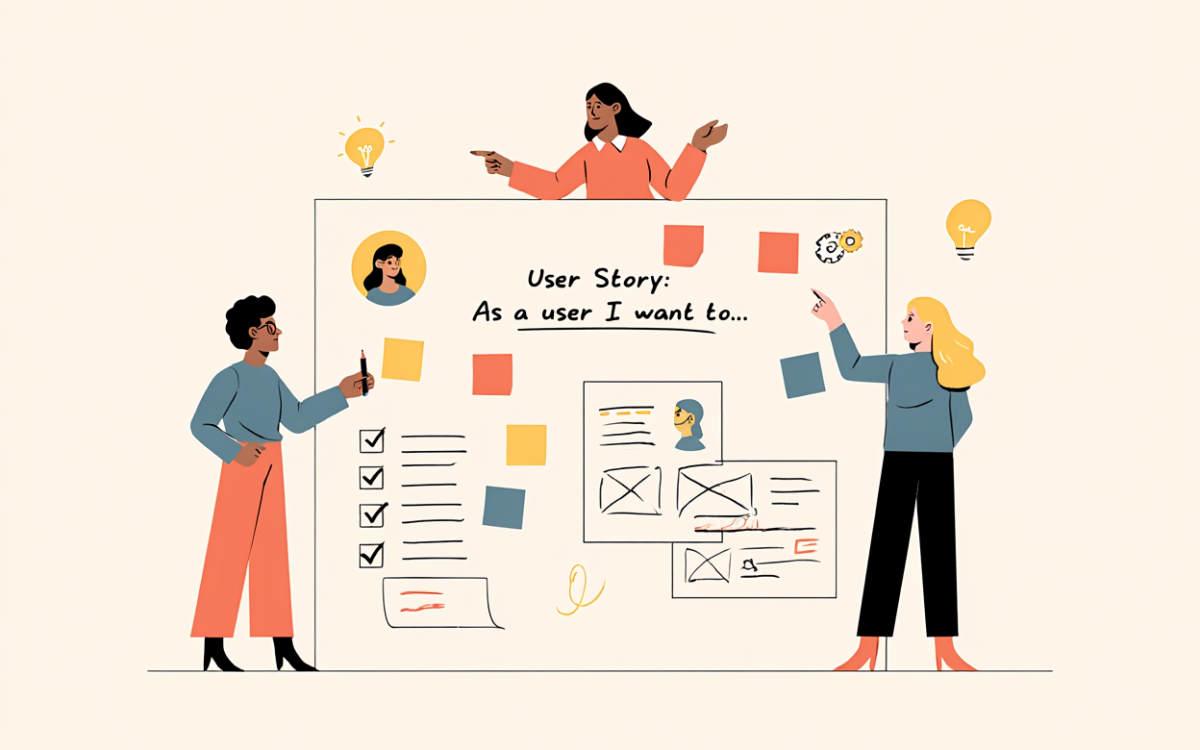
Requirements written in user story format: “As a [persona], I want to [do something] so that [I achieve this outcome].” User stories keep requirements grounded in real needs rather than abstract functionality.
4. Functional Specifications
Detailed specifications for every feature and workflow, including edge cases, error states, and admin controls.
5. Non-Functional Specifications
Performance targets, security standards, availability requirements, and scalability expectations.
6. Technical Specifications
Tech stack decisions, integration requirements, API specifications, and infrastructure constraints.
7. Out of Scope
Explicitly listing what the product will NOT do in this phase is just as important as listing what it will. Scope creep starts when out-of-scope items are not documented.
Common Requirements Mistakes in SaaS Projects
Mistake 1: Requirements written without talking to users. Internal assumptions about what users need are almost always wrong. Requirements should be informed by user research, not invented in a meeting room.
Mistake 2: Requirements that are too vague. “The system should be fast” is not a requirement. “95th percentile API response time must be under 200ms” is a requirement.
Mistake 3: Non-functional requirements as an afterthought. Security and performance requirements added late are expensive. They must be baked into the architecture from the start.
Mistake 4: No version control on the requirements document. Requirements evolve. Track changes carefully so the development team always knows which version of a requirement they are building against.
Mistake 5: Requirements frozen before development begins. In agile SaaS development, requirements evolve as you learn. Build in a review process at the end of each sprint to assess whether requirements still reflect what you know.
SaaS Requirements Management: Process and Tools
Writing a strong initial requirements document is only half the challenge. As a SaaS product evolves, requirements need to be tracked, updated, and traced across every sprint. This is requirements management, distinct from the one-time act of defining requirements before development starts.
What SaaS Requirements Management Actually Involves
SaaS requirements management covers how your team collects, defines, prioritizes, and tracks what your software needs to do across continuous delivery cycles. Unlike traditional software projects, SaaS products change while teams are already shipping, which means the process must support constant revision without turning every sprint into rework.
The additional complexity in SaaS comes from layers traditional software never had to handle:
- Multi-tenant architecture constraints
- API integrations and version contracts
- Subscription billing logic and plan changes
- Ongoing compliance requirements (SOC 2, HIPAA, GDPR)
- Infrastructure scaling behavior
- Feature deprecation without breaking existing tenants
Core Practices for Managing Requirements in SaaS
Centralize your requirements. Requirements spread across Slack threads, Google Docs, and separate Jira tickets create invisible duplication. Teams build the same thing twice and lose traceability. Tools like Jira, Linear, Notion, or Azure DevOps create structured backlogs where requirements connect to user stories, tasks, and releases. One source of truth prevents the sprint-review surprises that erode team trust.
Define measurable acceptance criteria. “Dashboard initial load completes within 2 seconds for tenants with up to 1 million records, measured at the 95th percentile” is a requirement engineering can build to and QA can test. “The dashboard should be fast” is a disagreement waiting to happen.
Involve engineering early. By the time product writes a full PRD, engineers should already know the idea exists and have flagged technical risks. A “simple” integration often requires OAuth implementation, rate limiting, webhook handling, and error retry logic. Early involvement detects these before they wreck a sprint plan.
Build feedback loops from production. Adoption rates, error logs, support ticket volume after release, and customer feedback all inform what the next iteration of a requirement should look like. Requirements that do not connect to measurable outcomes produce roadmaps full of features nobody uses.
Requirements Management Tools for SaaS Teams
For most SaaS teams, general-purpose tools like Jira, Confluence, Notion, or Linear are sufficient to manage requirements alongside the rest of the product backlog, especially in the early stages of a product’s life.
Larger or heavily regulated SaaS products covering healthcare platforms, fintech products, or anything needing SOC 2 or HIPAA compliance often need dedicated requirements management tools with formal traceability. Tools such as Jama Connect, IBM Engineering Requirements Management DOORS Next, and Visure link every requirement to its corresponding test cases, code changes, and compliance evidence, which becomes essential when an auditor or certification body needs to see exactly how a requirement was implemented and verified.
| Tool | Best For | Key Strength |
|---|---|---|
| Jira | Engineering-heavy teams | Deep issue tracking, extensive integrations |
| Linear | Fast-moving startups | Fast UI, clean UX, keyboard-first |
| Productboard | Product-led organisations | Customer feedback aggregation, roadmapping |
| Azure DevOps | Microsoft-stack teams | Full DevOps suite, strong test integration |
| Aha! | Enterprise product teams | Strategy alignment, stakeholder communication |
| Jama Connect | Regulated products (healthcare, fintech) | Full traceability, compliance audit support |
Whichever approach fits your product, the same principles apply:
- Every requirement change should be versioned, not silently overwritten
- Requirements should stay traceable back to the user need or business goal they originated from
- Requirements should be reviewed at the end of each sprint, not only once at the start of the project
How Software Flux Solutions Handles Requirements
At Software Flux Solutions, every SaaS engagement starts with a structured discovery process that produces a comprehensive requirements document before development begins. Whether you are building in-house or working with an outsourced development partner, clear requirements are essential for project success.
We work with clients to define functional requirements, non-functional standards, and technical constraints, and we review and update them throughout the project as we learn from users and stakeholders.
Getting requirements right is the single highest-leverage activity in SaaS development. A week spent on rigorous requirements saves months of rework.
Have questions or ready to get started? Contact us and our team will guide you through every step of the process.
Conclusion
Clear, well-documented SaaS requirements are the foundation of every successful SaaS project. Invest the time in getting them right before development begins: define what the system must do, how it must perform, and what technical constraints it must respect. Then keep managing them deliberately as the product evolves. Your development team, your launch timeline, and your budget will all benefit.
Frequently Asked Questions
What are SaaS requirements? SaaS requirements are documented specifications that define what a SaaS product must do, how it must perform, and the constraints it must operate within. They cover functional requirements (features and behaviors), non-functional requirements (performance, security, availability), technical requirements (tech stack and integrations), and business requirements (commercial goals and success metrics).
What is the difference between functional and non-functional SaaS requirements? Functional requirements define what the system does: login, billing, user roles, notifications. Non-functional requirements define how the system performs: response time under load, uptime percentage, encryption standard, and compliance framework. Both are equally important. Non-functional requirements are the ones most often added too late, which makes them expensive to retrofit.
What is SaaS requirements management? SaaS requirements management is the ongoing process of collecting, defining, prioritizing, and tracking software requirements across continuous delivery cycles. Unlike writing a PRD once before development starts, requirements management is a continuous discipline covering how requirements change across sprints, how they connect to production outcomes, and how they stay traceable to the original business goals that created them.
How do you document SaaS requirements? The standard format is a Product Requirements Document (PRD) covering product overview, user personas, user stories with acceptance criteria, functional specifications, non-functional specifications, technical specifications, and an explicit out-of-scope section. The PRD should be version-controlled, reviewed at the end of each sprint, and accessible to everyone from engineering through QA and stakeholders.
What tools are used for SaaS requirements management? For most early-stage SaaS teams, Jira, Linear, or Notion paired with Confluence for documentation is sufficient. For regulated products (healthcare, fintech, government), dedicated tools like Jama Connect or IBM DOORS Next provide the formal traceability that compliance audits require. The right tool depends on team size, compliance obligations, and how your engineering team actually works day-to-day.
What happens when SaaS requirements are not documented properly? Vague or undocumented requirements consistently produce the same outcomes: misaligned builds that do not match the original intent, rework cycles that push launches back by weeks or months, scope creep as undocumented decisions get interpreted differently by different team members, and post-launch compliance gaps on products in regulated industries. Every hour spent on rigorous requirements before development saves multiple hours of rework after it.
What is the difference between SaaS requirements and a SaaS agreement? SaaS requirements (covered in this article) are the internal technical and business specifications your team documents before building a product. A SaaS agreement is the commercial contract between a software vendor and a customer, covering uptime SLAs, data ownership, security obligations, and termination terms. They serve completely different purposes and different audiences.
How often should SaaS requirements be reviewed? Requirements should be reviewed at the end of every sprint as a standard part of the retrospective, not only once at project kickoff. In agile SaaS development, requirements evolve as the team learns from real users and production data. Treating requirements as a living document rather than a frozen artifact is one of the most significant differences between SaaS teams that ship confidently and those stuck in rework cycles.

Zainab Bibi
Senior SAAS Project Manager
1+ Years of Experience in SAAS Projects Management